
In my recent personal project, I started creating a vendor–product master dataset from general ledger labels that used hyphens (-) as separators. While the ETL worked fine, splitting these labels caused a cascading nightmare because both vendor and product names often contain hyphens.
The Problem
Example 1 (vendor name with hyphen):
Label: "7-Eleven - Crunch Time"
Vendor: "7-Eleven"
Product: "Crunch Time"
Issue: The value "7" is captured as the vendor.
Example 2 (product name with hyphen):
Label: "Uniqlo - AIRism Cotton Crew Neck Oversized T-Shirt"
Vendor: "Uniqlo"
Product: "AIRism Cotton Crew Neck Oversized T-Shirt"
Issue: An unwanted third column with the value "Shirt" is added.
Example 3 (both vendor and product name with hyphen):
Label: "Coca-Cola - Zero-Sugar 500ml"
Vendor: "Coca-Cola"
Product: "Zero-Sugar 500ml"
Issue: Combination of issue 1 and 2.
Naively splitting on hyphens gave incorrect fields:
"7-Eleven - Crunch Time" → "7", "Eleven", "Crunch Time"
"Uniqlo - AIRism Cotton Crew Neck Oversized T-Shirt" -> "Uniqlo", "AIRism Cotton Crew Neck Oversized T", "Shirt"
"Coca-Cola - Zero-Sugar 500ml" → "Coca", "Cola ", "Zero", "Sugar 500ml"
Temporary Fix: Regex Replacement
To handle most labels automatically, I wrote a regex that replaces only the first hyphen in each line with a pipe (|), leaving hyphens inside product names untouched.
/(?<=^[^-]*)-/g
- Matches the first hyphen in the label
- Leaves all other hyphens intact
- Automates the majority of cases
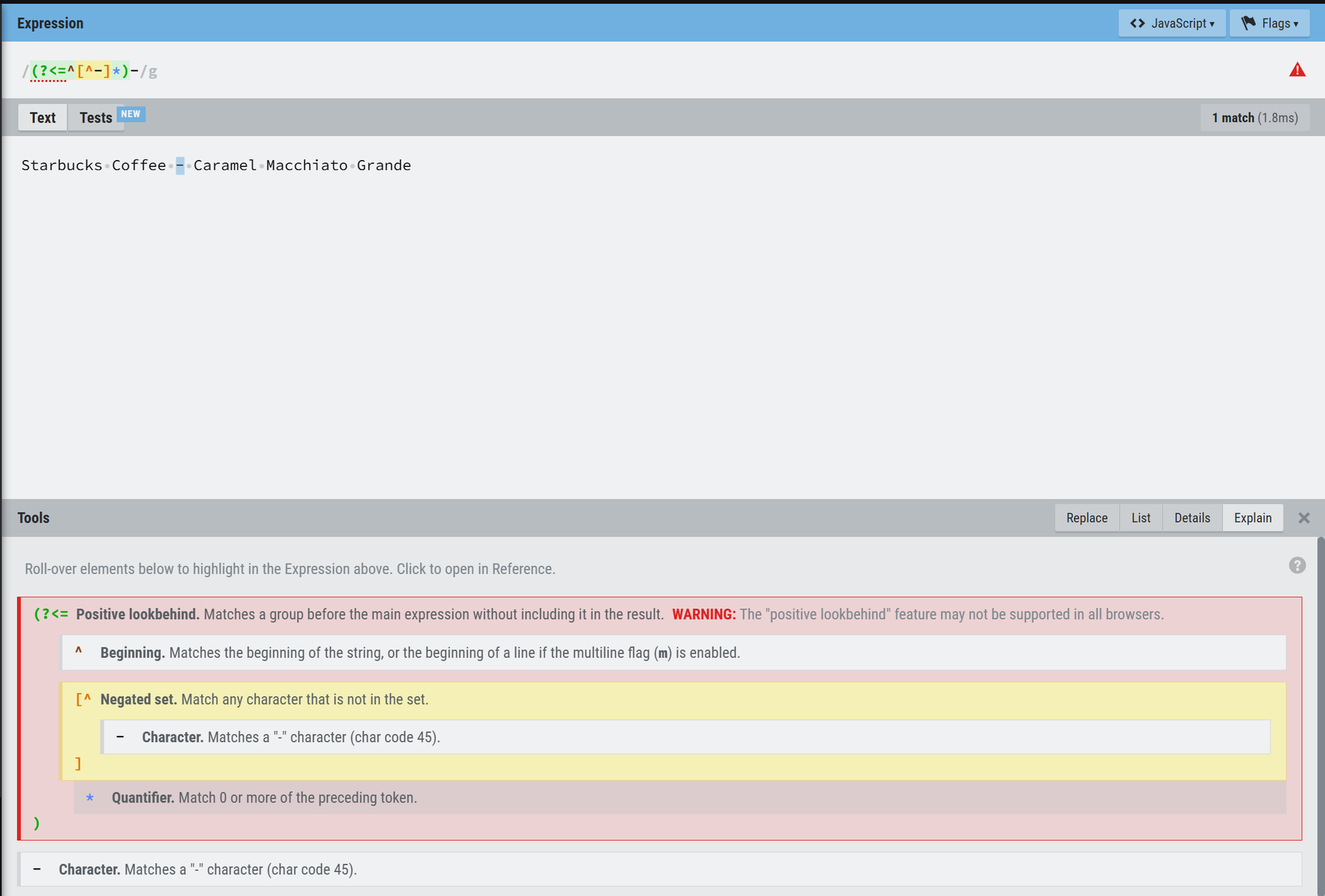
Example:
Starbucks Coffee - Caramel Macchiato Grande → Starbucks Coffee | Caramel
This automated most cases while allowing manual fixes for exceptions.
Example exceptions (replace the 2nd hyphen delimiter):
7-Eleven - Crunch Time → 7-Eleven | Crunch Time
Coca-Cola - Zero-Sugar 500ml → Coca-Cola | Zero-Sugar 500ml
This hybrid approach allowed me to generate the vendor–product master dataset reliably while handling edge cases manually.
Choosing the right delimiter like a pro: Google uses ~~~ to keep their master data clean.
Interestingly, I had a chance to work on one of the datasets created by Google, and they had already solved this problem in a smart way.
Instead of hyphens, commas, or pipes, they used a triple tilde (~~~) as the delimiter, which ensured that:
The delimiter was guaranteed never to appear in the data
Parsing and ETL processes remained clean and error-free
Final Thoughts
Choosing the right delimiter might seem like a small decision, but it can make or break your data workflow. A carefully selected delimiter ensures that your fields are parsed correctly, prevents data corruption, and saves hours of troubleshooting. Whether you use a pipe (|), tab (\t), tilde (~), or even a multi-character string, the key is to pick one that will never appear in your actual data. Good delimiter choices make your datasets clean, scalable, and future-proof.
Seeing Google’s approach with ~~~ reinforced the lesson: a good delimiter is simple, unambiguous, and future-proof.
In data engineering, even small decisions like choosing a delimiter can have cascading consequences. Solving them carefully is part of the craft.
#MasterData #DataEngineering #ETL #DataManagement #DataProcessing #DataParsing #DataCleaning #GoogleDataset #Delimiter #DataTips #VendorProductData #FlatFile